Mac + Vision Pro·Available now.Current downloads

Your Mac apps.In your space.

Keep the apps you know. Give them room to work. Peel Pro brings individual Mac windows into Apple Vision Pro, so you can arrange your workspace around you.

Available for Mac and Apple Vision Pro.
iPhone and iPad are in development.

How it works
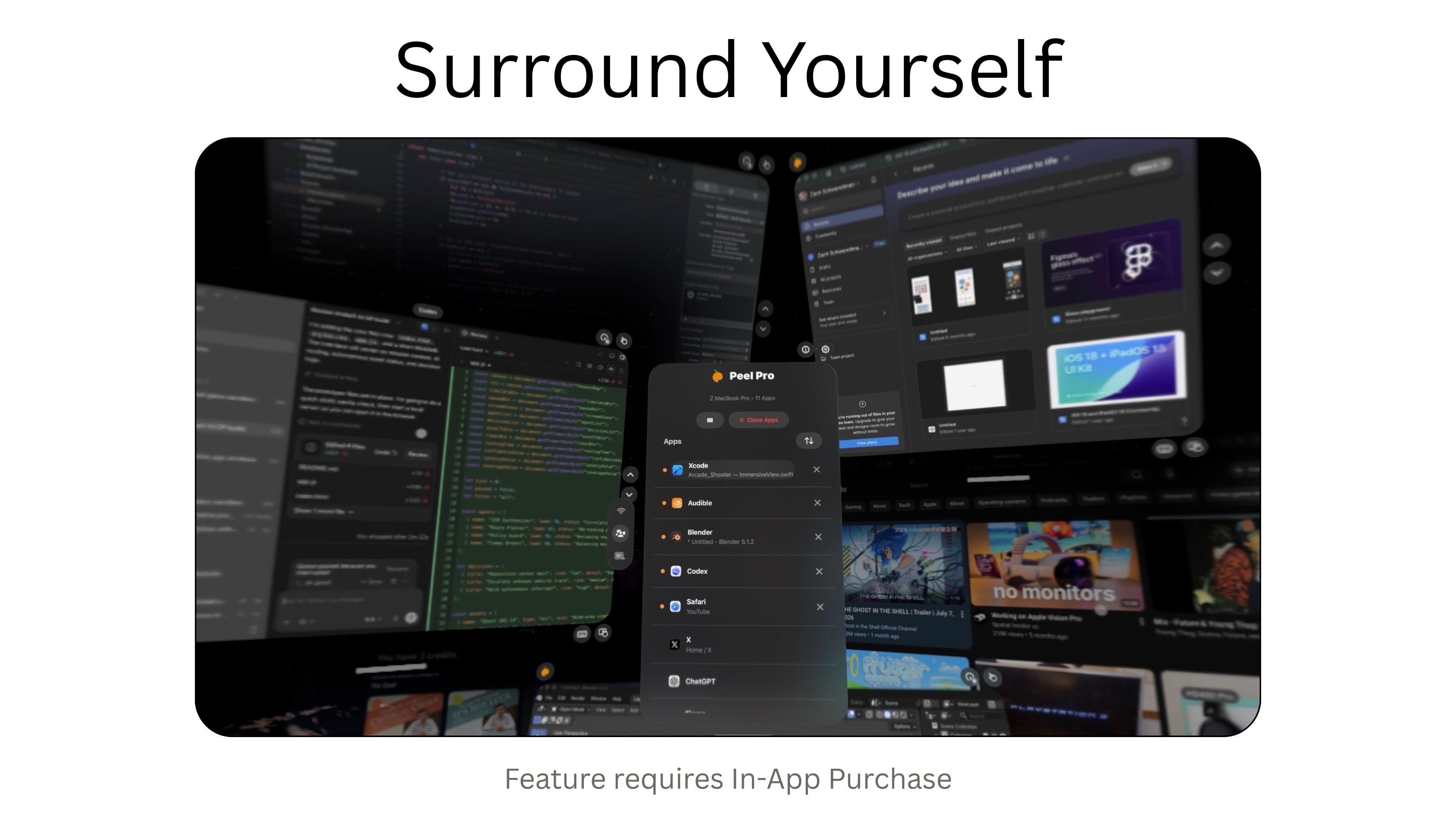
Real Peel Pro capture with several Mac app windows arranged around the Vision Pro app list.
Your apps, with room to breathe.Published Vision Pro capture. The pictured multi-window workspace requires an in-app purchase in the current release.

Set up your Mac
and Vision Pro.

Use one app window or your Mac’s display. Your files, applications, and processing stay on the Mac.

  1. 1

    Install on your Mac

    Get the free Mac companion and allow the permissions it needs to share your screen and receive input.

  2. 2

    Pair your devices

    Open Peel Pro on Vision Pro. Choose your Mac on the same local network and follow the pairing prompts.

  3. 3

    Choose an app

    Select an available Mac window and start using it. Keep the Mac on and the Mac companion running.

Setup and pairing guide

A workspace you
can make your own.

Move a window closer. Keep another off to the side. Your apps and processing stay on the Mac while you use them in your space.

Get the Mac and Vision Pro apps
The published App Store preview of Peel Pro for Vision Pro. Current in-app purchase terms apply.

Coming in Peel Pro 2.0

A new workspace for iPhone Duo, with Mac and Windows hosting in development. The current downloads keep their existing features and purchase terms.

Your computer, on iPhone and iPad

Bring a Mac or Windows app or display to your phone or tablet. The planned free tier includes one stream on flat screens and two on Vision Pro, counting apps and displays together. Pro adds more windows. Your apps and builds stay on the computer.

Preview the Duo workspace

Your agent, connected

Let a compatible agent bring the relevant Mac window into view. Local Mac tools and agents stay free. Pro will add remote agent coordination, automation, control, and notifications on your connected devices.

Agent tools and requirements

Peel Pro brings the computer and client apps together. Windows and Linux are in development. Planned Pro pricing is US$4.99/month, US$29.99/year, or US$119.99 once. These plans are for the upcoming release; current purchases are unchanged.

Features and plans

Before you download

Which apps are available now?

Peel Pro 1.4.0 for Apple Vision Pro and the Mac companion 1.2.0. You’ll need visionOS 26.1 or later and macOS 26.0 or later. Get the current releases.

What can I use for free today?

The Mac companion is free. The current Vision Pro app includes two app windows plus one display, HUD access, and connections to multiple Macs. More app windows are available through its current in-app purchase. Peel Pro 2.0 has a separate plan.

Do I need an AI agent?

No. Choose and use Mac app windows directly in Peel Pro. The planned agent tools are optional.

Can I connect from anywhere?

The current release needs both devices on the same unrestricted local network, with the Mac on and available. Internet relay and connection from anywhere are not promised.

Get Peel Pro

The current apps, system requirements, and setup help.

View downloads